![DSI-small-square.png]](https://know.dsi-mfg.com/hs-fs/hubfs/Logos/DSI%20Logos/DSI-small-square.png?height=50&name=DSI-small-square.png)
Issue
I need to install a PartMaker
Answer
To get access to PartMaker, you need to download, and install, FeatureCAM.
- Sign in to manage.autodesk.com/products/all
- Find FeatureCAM - Ultimate > click Install > Accept
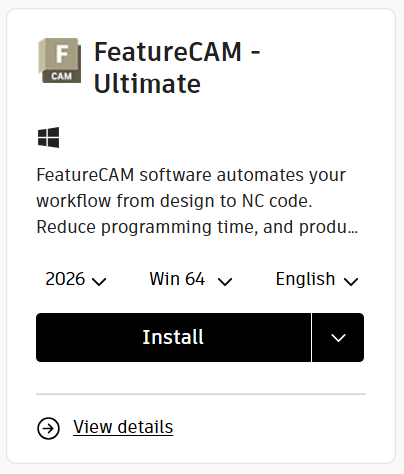
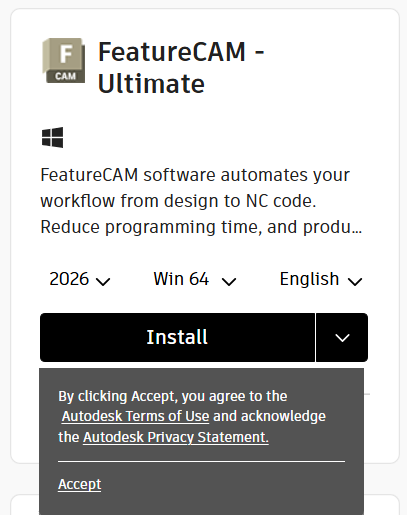
- Run the installer file you downloaded: Autodesk_FeatureCAM_Ultimate_20xx_0_3_ML_setup_webinstall.exe
- Follow the onscreen prompts.
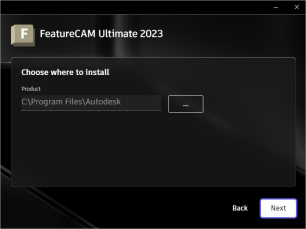
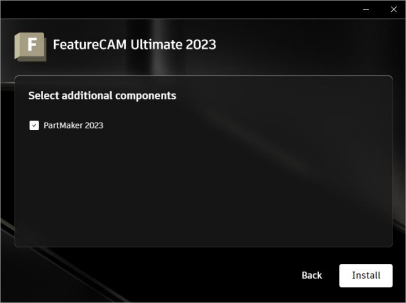
- On the Select additional components screen, check PartMaker 20XX, then click Install
- Allow the installation to finish.
- Once completed, launch the software and you’ll be prompted to Sign in with Autodesk ID to activate the software.
If you encounter any issues, please submit a support ticket using the link below.